
Getting Started with Vue TV

Start by exploring the variety of channels available to you.
Download the Vue Streaming TV app on your mobile device to enjoy your subscription on-the-go.
Consider upgrading to our premium package to unlock even more channels and content.
By following these simple tips, you can ensure that you are fully enjoying all that Vue Streaming TV has to offer.
Stream Anytime, Anywhere.
Download our free Vue TV app in the Apple App Store or Google Play Store to stream your favorite content on your mobile device.
You can also stream content using your web browser.


Ways to Stream with Vue TV
Use Your Own Device
Vue TV is compatible with the following platforms:
Amazon Fire TV (FireOS V6 or later)
Roku
Android TV
Browser: Watch Now
Apple iOS
Android OS
Use Our Device
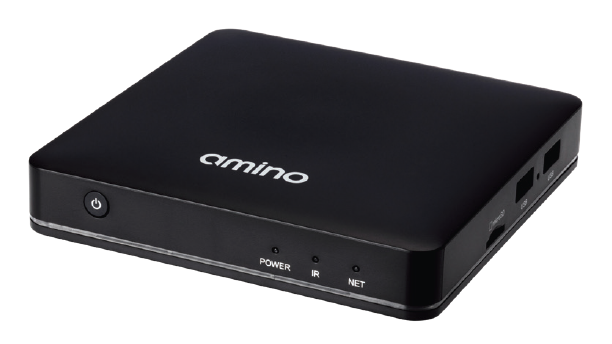
Use our provided Set-top Box to connect directly to your TV with an HDMI cable.

Logging in
In order to login the first time on your devices, you will need our three digit access code (Service ID) 0c6, your Username, and Password.
Once you've download the app, you will be prompted to enter the three digit access code (Service ID). Enter 0c6 in the associated box. Select Submit.
Next, enter your Username and Password which you selected when signing up for service. Click Sign In.
Add your user Profile by typing your preferred name. You can edit the Age Rating for the Profile's content and set up Parental Controls. Click Submit.
Once completed, select your profile and start streaming!